 Chorium
Build in parallel. Babysit nothing.
Chorium puts your whole fleet of coding agents on one live board. Launch a dozen at once, step in only when one needs you, and always know what's building.
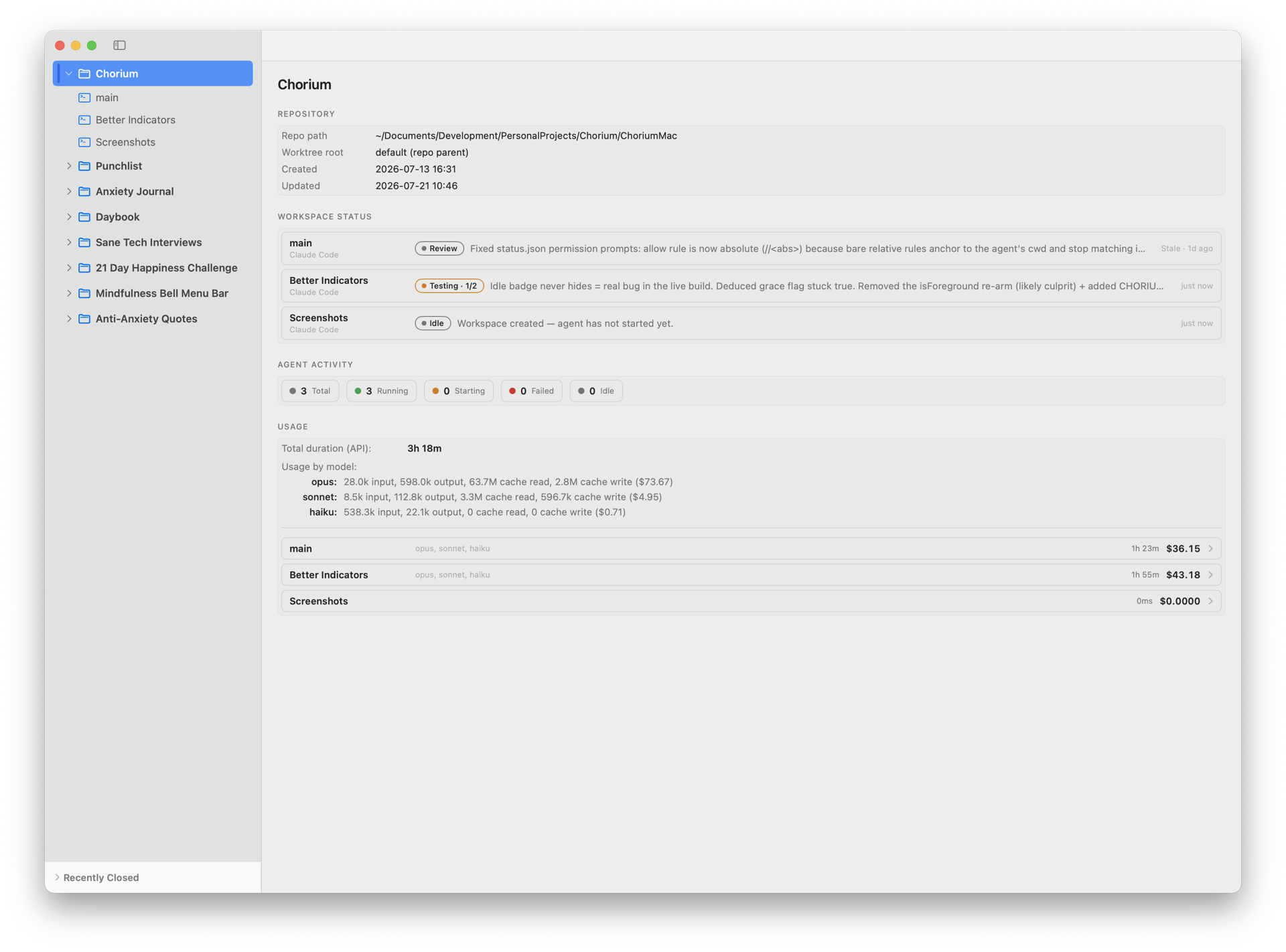 Live workspace board
Every agent isolated
Its own git worktree and branch, so parallel agents never step on each other.
Hands-off by default
Chorium flags the agents that need you and stays quiet about the rest.
Nothing slips
Stalled or waiting agents surface on their own, before you go looking.
Run more agents, and actually keep up
Run your whole fleet at once
Every agent works in its own git worktree and branch, so they never overwrite each other. Spin up as many as the work needs.
Look only when it matters
Chorium badges the agents that need you and stays quiet about the rest. Stop hovering over terminals and get your focus back.
Never lose the work
Live status shows each agent's phase and a one-line summary. Stalled agents get flagged, and unmerged work never gets deleted by accident.
One window, not ten terminals
Status, the live terminal, and git (review, commit, merge) all in one place. No juggling tabs to find out what's going on.
Chorium comes to you
When an agent has a question or hits a permission prompt, a system notification lands. Work on something else and get pulled back only when it counts.
Every skill, one click away
Chorium lists the skills and slash-commands each agent knows. Filter, pin the ones you use, and click to run. No remembering or retyping.
Everything you need on one board
Live status sidebar
Every workspace shows its current phase and a one-line summary of what the agent is up to, updated as it works.
Attention badges
Chorium flags the agents that need you: asking a question, in plan mode, or blocked and waiting. You look only when it matters.
Agent activity
Running, starting, failed, idle: the whole fleet counted at a glance, with per-workspace spend beside it.
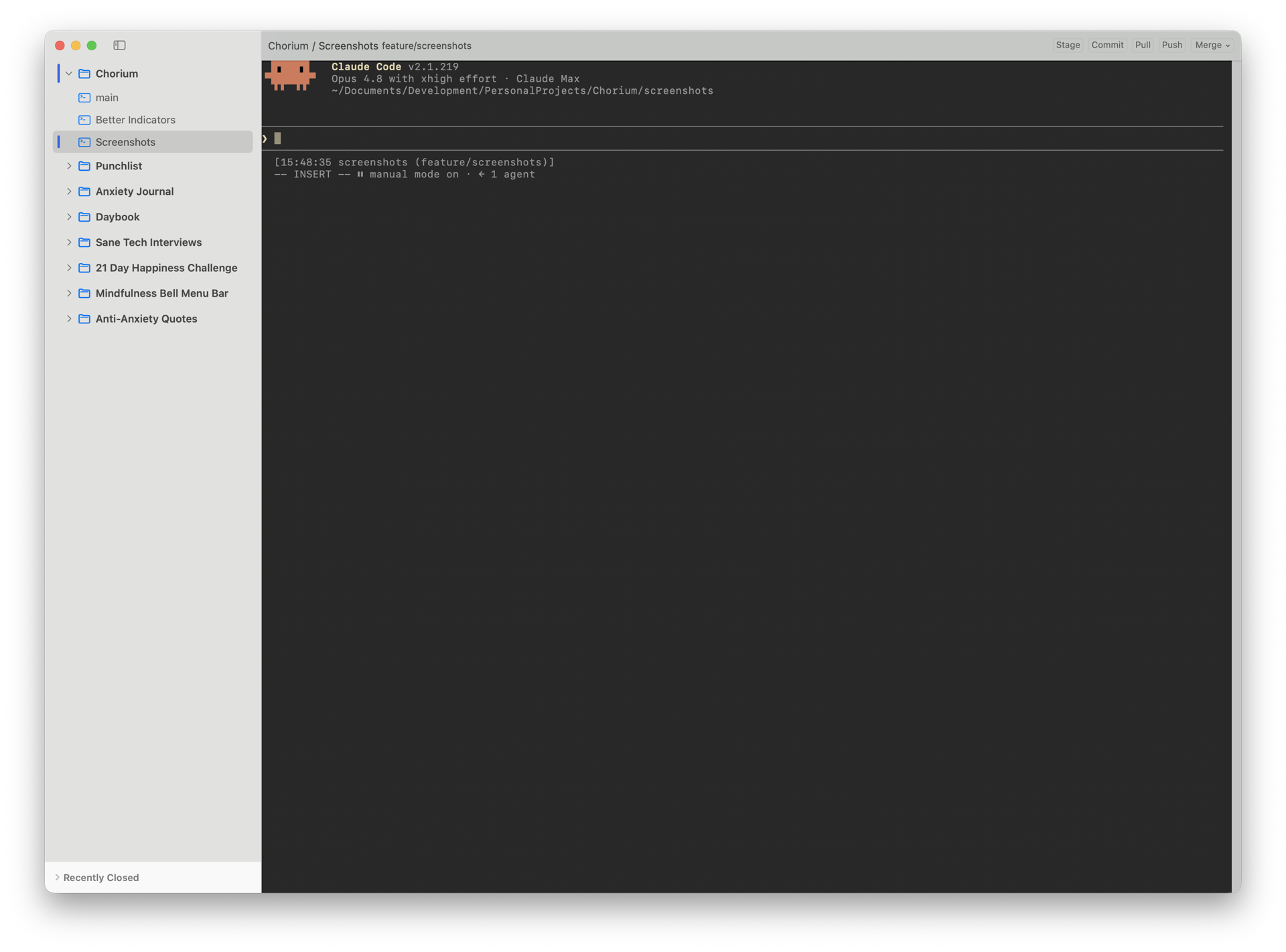 Drop into any agent's terminal
See exactly what it's doing
Open any workspace's embedded terminal (full scrollback, the agent's live session) and watch the work happen, not just a summary of it.
In-app git
Review diffs, commit with AI-suggested messages, and merge, all without leaving the board. Hit a conflict? Chorium spots it and hands it to the agent to resolve.
Isolated by design
Each agent works in its own git worktree and branch, so one agent's status never muddies another's.
Themed to read fast
System, Light, or Dark, for the app and every terminal.
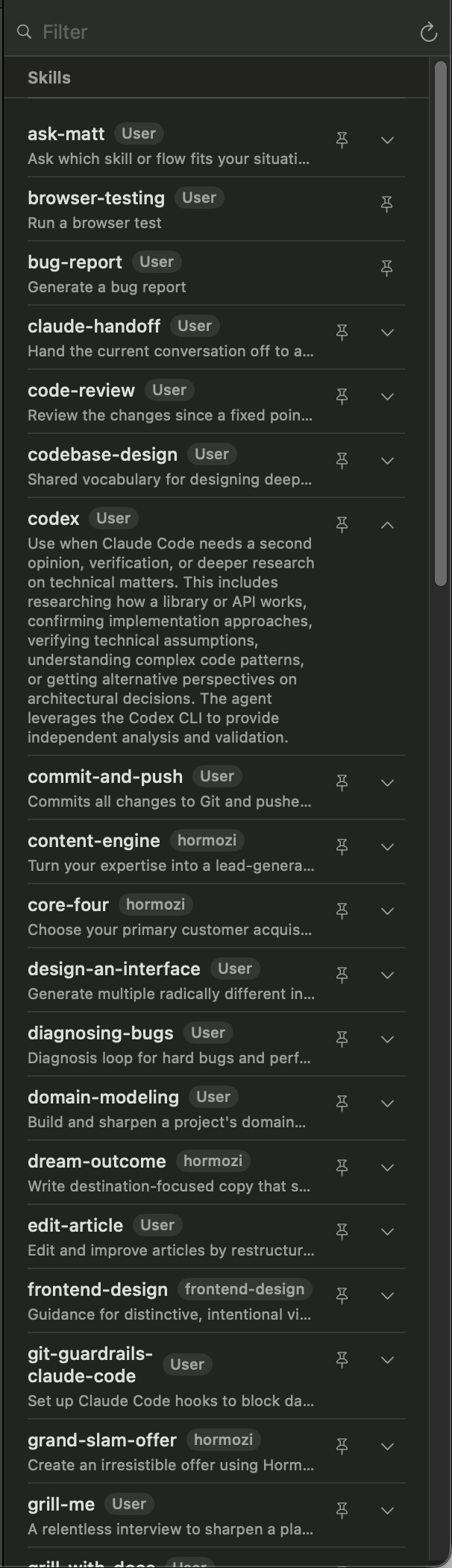 Skills & Commands panel
Skills & commands on tap
Every skill and slash-command the focused agent knows, in one panel. Filter to find one, pin the ones you reach for, and click to run it. No memorizing, no retyping.
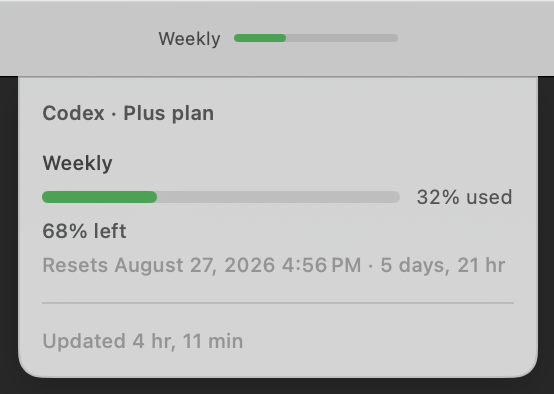
Know where your usage stands
Running Codex? Its plan-usage bar sits in the toolbar: open it for how much you've used, what's left, and when it resets. Spot a limit before it stops you mid-task.
Launch it, then watch it work
Pick a branch template
Auto-prefixed branch names for every kind of work, so a new workspace starts on the right branch without you naming it.
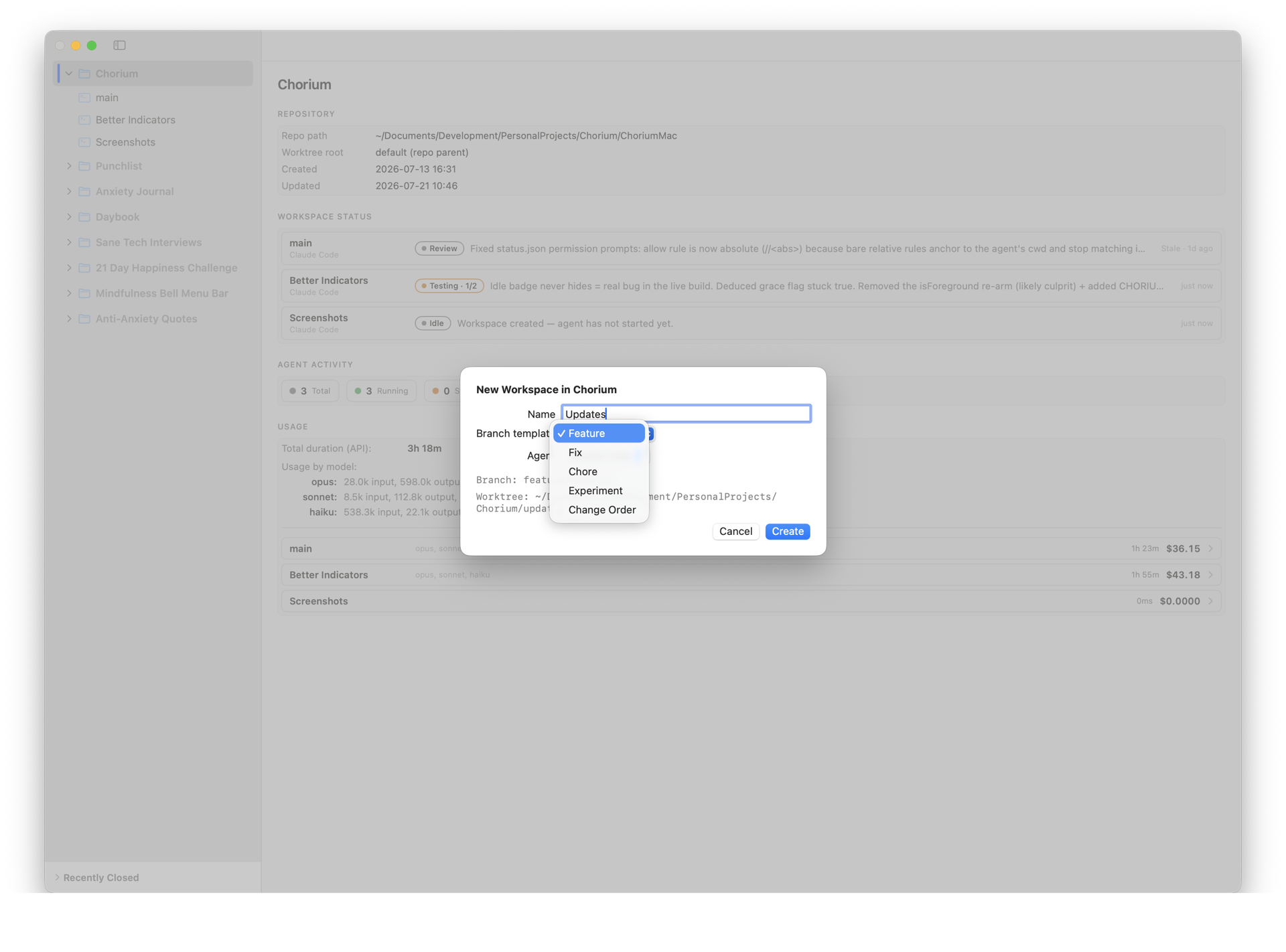 New Workspace → Branch template
Bring your own agents
Chorium auto-detects the agents on your PATH. Set per-agent binary overrides and pick a default. A guided five-step onboarding gets you there.
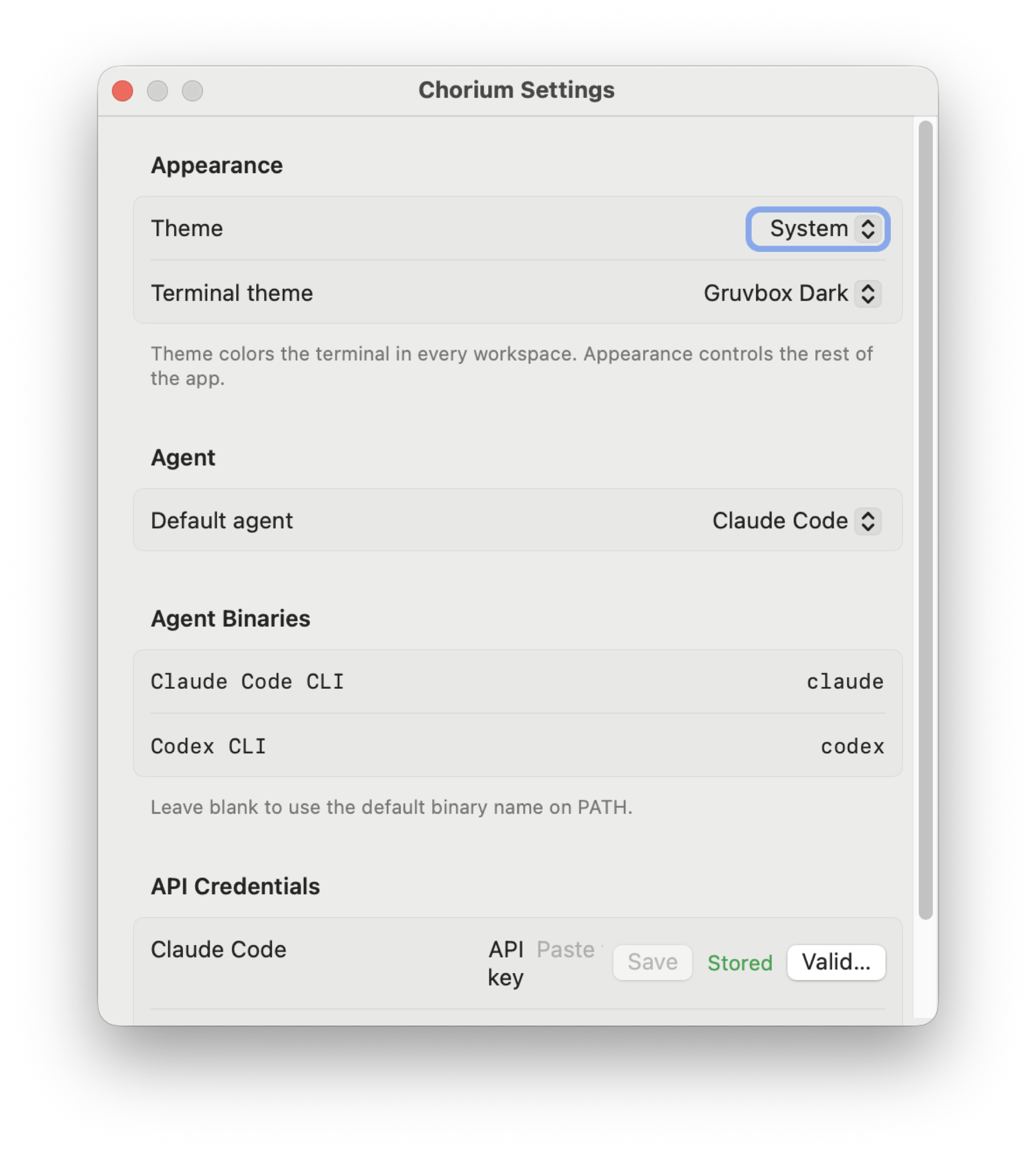 Settings → agents & theme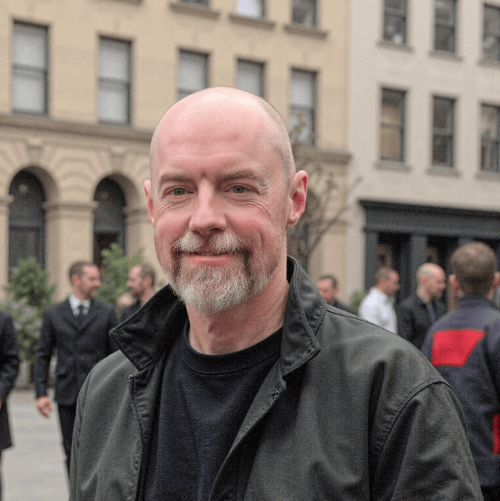
Hi, I'm Darrell.
I've spent 15+ years building software, and these days I build systems that put AI to work: cutting the busywork and lifting ROI for real businesses.
Chorium started as a fix for my own problem. I was running a stack of coding agents at once and kept losing track of which one needed me, so I built the board I wanted to look at.
More of what I build at brogdon.co.
Never lose track of an agent again
See what your whole fleet is doing, the moment it matters.
Get Chorium