 Chorium
Docs/Core Concepts
Core Concepts
Four ideas explain almost everything Chorium does. Learn them once and the rest of the app makes sense.
Project → workspace → worktree → agent
Chorium is built on a simple chain:
- A project is a git repository — one codebase you're working on.
- A workspace is one task inside that project. Each workspace lives on its own git branch and runs a single coding agent.
- A git worktree is the isolated copy of your files that the workspace uses. Git can check out several branches at once, each in its own folder; Chorium gives every workspace one of these so agents never trip over each other.
- An agent is the coding CLI — Claude Code or Codex — running inside the workspace's embedded terminal, doing the actual work.
So: you open a project, spin up a workspace for each thing you want done, and an agent works in each one. Run several at once and Chorium keeps them side by side without collisions.
Why worktrees matter
If two agents edited the same files at the same time, they'd overwrite each other's work. A git worktree gives each workspace its own branch and its own files on disk. One agent building a feature can't disturb another agent fixing a bug — their changes stay separate until you decide to merge them. This isolation is what lets you run a whole fleet at once.
How Chorium knows what each agent is doing
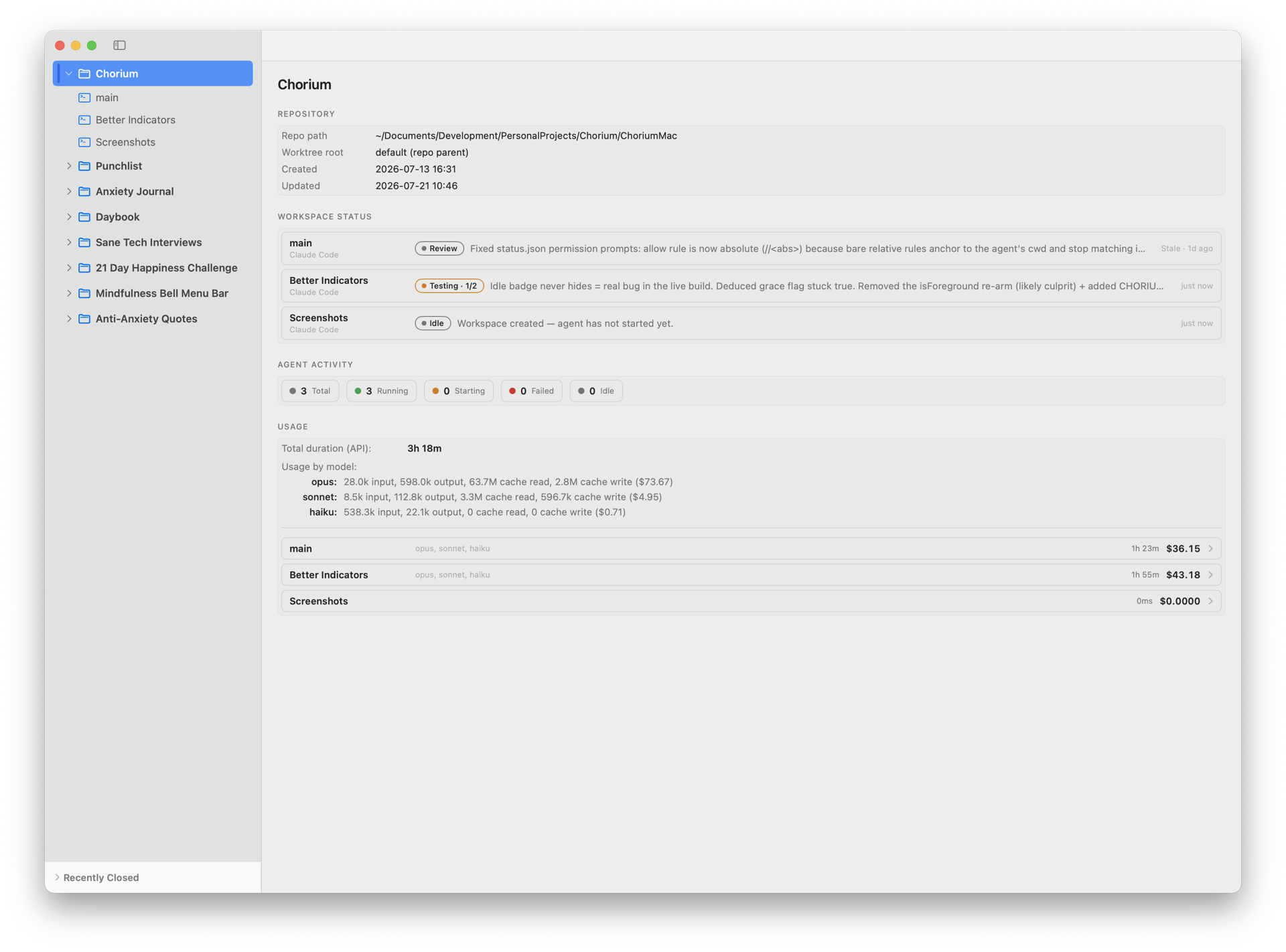
When Chorium creates a workspace, it drops a small .chorium/ folder into it. That folder is how the app and the agent stay in sync:
- The agent keeps a
status.jsonfile up to date with its current phase and a one-line summary. That's what fills the live status you see on the dashboard. - Companion files let the agent flag when it needs you — a question, a permission prompt, or a pause. Chorium turns those into attention badges.
These files are kept out of your git history automatically, so they never clutter your commits or show up in a diff.
The six phases
Every workspace reports one phase at a time. You'll see these throughout the app:
- Idle — nothing running; a fresh or resting workspace.
- Planning — the agent is working out an approach, not yet writing code.
- Implementing — actively writing code.
- Testing — running tests and working through failures.
- Review — the work is done and waiting for you to look.
- Blocked — the agent can't continue and needs your input.